
Accommodations & Room Types
Open in StudioOn this page
An accommodation is anywhere your visitors sleep: a hotel, a hostel, a campsite, or the school gym with mattresses on the floor. Each one holds rooms for you between two dates — its check-in and check-out — and this page counts down what is left, night by night, as you book groups in.
It works in three ideas, in this order:
- The accommodation has dates. You enter its check-in and check-out once. Everything at that property uses them, and outside them it holds nothing.
- A room type has one number: Rooms held. It applies to every night of those dates.
- Nights that differ are exceptions. If the hotel gives you more (or fewer) rooms on some nights, you change those nights on the Rooms per night grid — you never make a second room type for it.
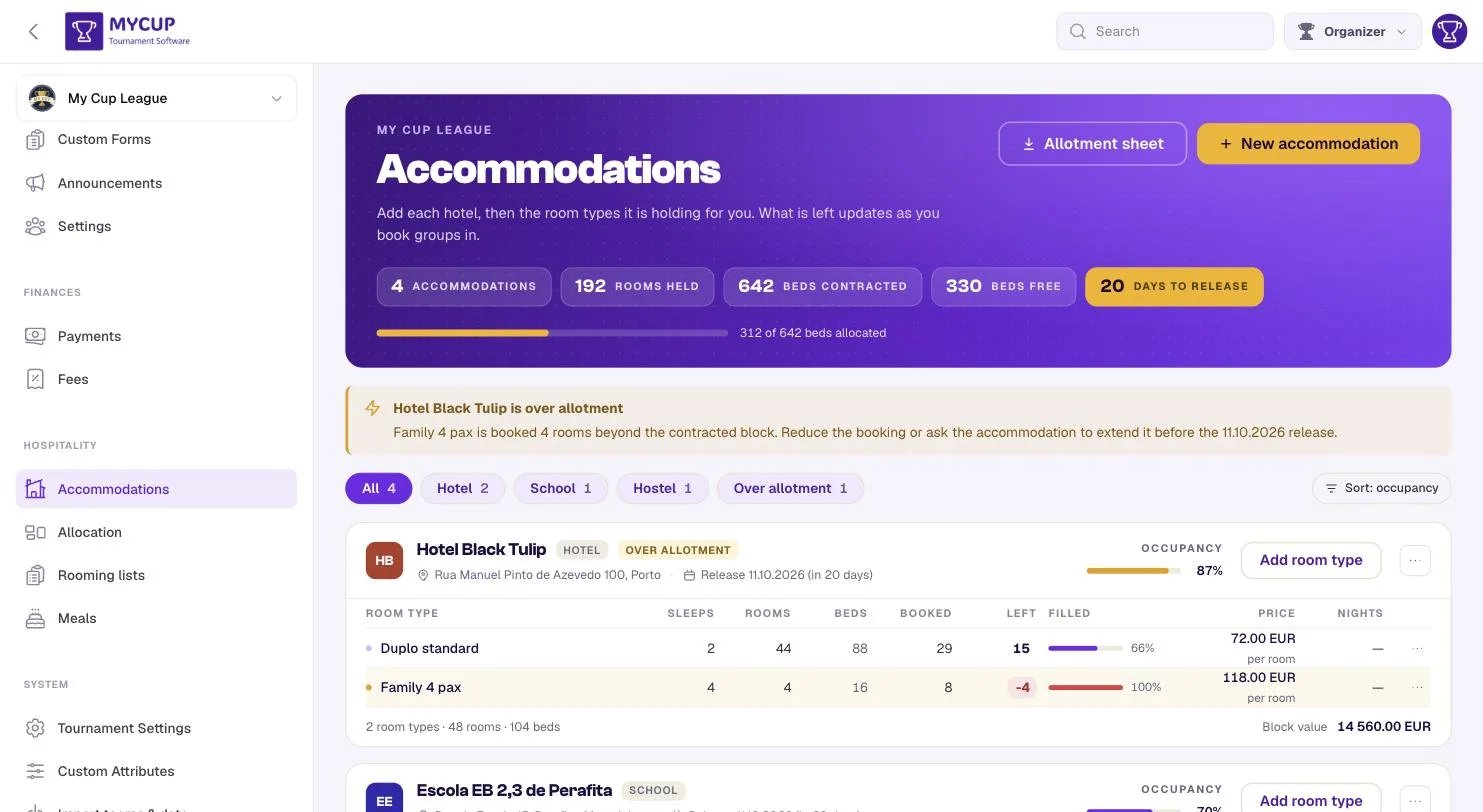
What the page tells you before you read a word#
The header carries the five figures a festival is run on:
| Reading | What it means |
|---|---|
| Accommodations | How many places you have agreed rooms with |
| Rooms held | Every room across every contract (on the nights each type holds the most) |
| Beds contracted | What those rooms sleep on your fullest night |
| Beds free | What is still free on your busiest night — the night that decides whether another club fits |
| Days to release | How long until unfilled rooms go back |
Days to release is the gold one, and that is deliberate. It is the only figure here that gets worse on its own while nobody is looking. The bar underneath reads, for example, 362 of 637 beds booked on the busiest night, 25 Mar.
Until your first rooming list has names in it, a Getting started strip under the header ticks off the five steps — hotels, what each holds, groups, bookings, rooming lists — and points at the next one. Hide until I need it folds it away on your device.
Adding an accommodation#
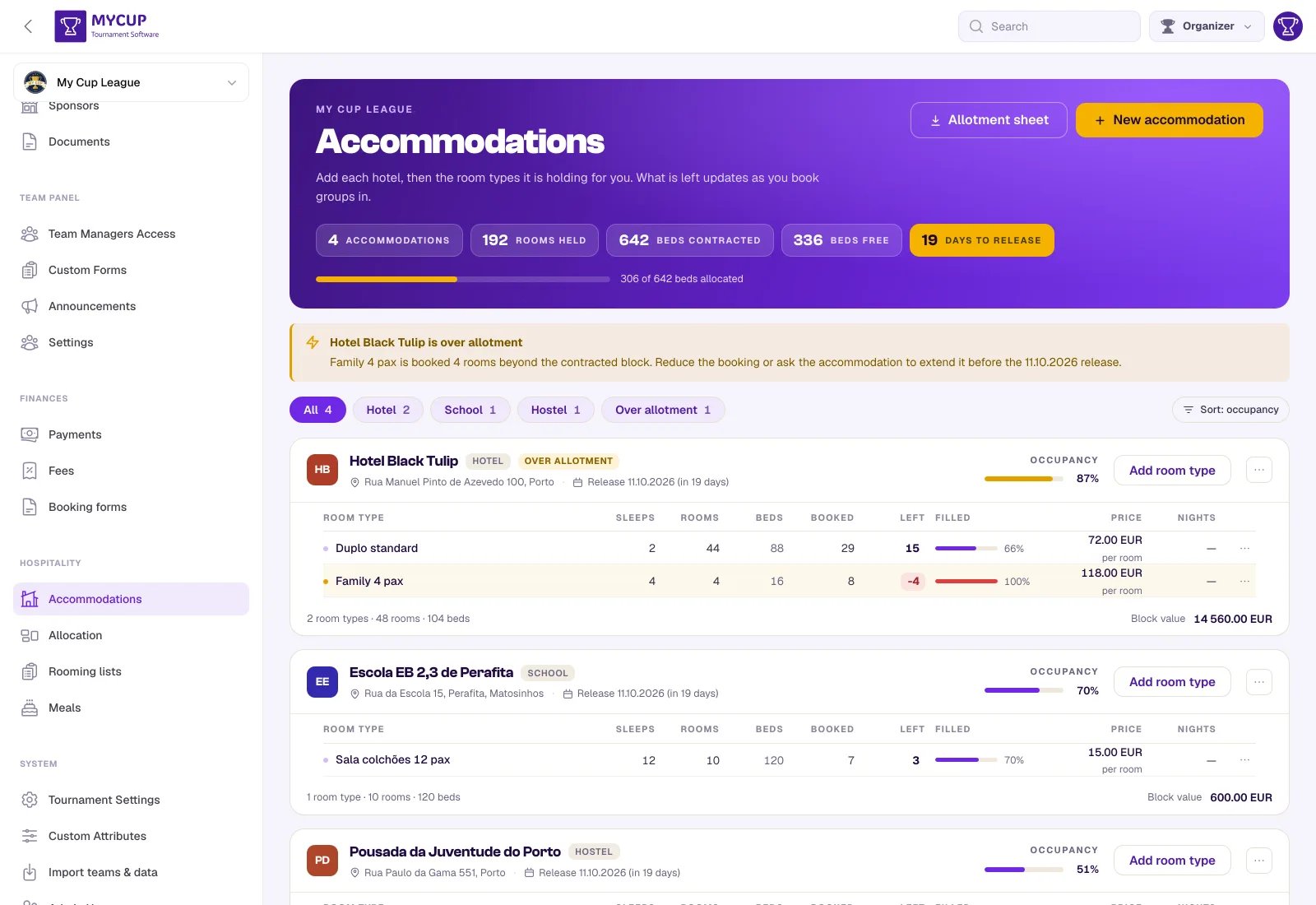
Press New accommodation.
| Field | Why it is there |
|---|---|
| Name | What you and the property call it. This goes on the rooming list they receive. |
| Kind | Hotel, hostel, school, pavilion, campsite… Used for the filter chips. |
| Check-in / Check-out | The stay window: the first night the property holds rooms for you, and the morning after the last night. 22 → 29 Mar 2027 · 7 nights. Every room type and every booking here uses these dates, and outside them the property holds nothing. A second accommodation starts from the first one's dates, because a festival is usually one week. A window can be at most 31 nights: a longer one is almost always a mistyped year, so MyCup asks you to check the dates instead of saving it. |
| Beds, if sold by the bed | Only for a school or pavilion with no room types — see below. |
| Address | Printed on the rooming list, so the front desk knows the sheet is theirs. |
| Contact name / email / phone | The person you actually deal with. Nothing is emailed automatically; this is your address book. |
| Release deadline | The date the property takes back rooms you have not filled. |
| Notes | Parking, breakfast times, the side entrance for coaches. |
The release deadline is the one to fill in#
Every contract has a date after which unsold rooms go back on general sale — and you will miss it in the week your late entries arrive. Once it is set, every card shows it as a date and as a countdown, and the whole tournament's nearest deadline becomes the gold figure in the header.
Room types#
A room type is one line of your contract: 20 twins with private bathroom, €68 a night. Press Add room type.
| Field | Notes |
|---|---|
| Name | Use the property's own wording — Quarto Múltiplo 6 pax, not "Room type 3". It goes on the sheet they receive and their manager has to recognise it. |
| Sleeps | How many people fit. A rooming list will not put more than this in one room. |
| Rooms held | How many of them the property is holding for you — on every night of its dates, unless you set an exception. |
| Price | And whether it is per room or per person, per night either way — the page prints which one under every price, so a rate is never ambiguous. |
Numbers are checked when you save. Rooms held and a bed count go up to 65,535, so a slip like 100000 for 10 is refused with a message rather than saved. A price is a plain number — 25 or 25.50. A negative price, or one MyCup cannot read (25 €), is refused with a message too, rather than quietly saved as no price at all.
The dialog says the arithmetic back as you type — 17 rooms · 34 beds · 22 → 29 Mar 2027 · 7 nights — and, if the property gives you a different number on some nights, Save and set nights takes you straight to the grid.
Reading a room-type row#
| Column | What it answers |
|---|---|
| Rooms held | What the property holds. A range — 17–34 — means it varies by night, and the row carries a badge saying so. |
| Beds | Rooms held × sleeps. |
| Booked (busiest night) | The most of that type committed on any one night. |
| Left (tightest night) | What remains on the night with the least room. When that is not every night, the nights are named underneath — 5 left · on 22, 23 and 28 Mar. |
| Per night (how full) | One small bar per night, filled by how booked that night is. Amber is full, red is over. |
| Filled | Room-nights booked against room-nights held, across the whole stay. |
Left is the one that tells you whether you can give another club four nights: a room free on three nights of four is not a room you can give anybody for four nights.
Over allotment#
Book more of a room type than the property is holding and the row turns amber, Left reads 2 over, the card gets an OVER ALLOTMENT badge, and a banner at the top of the page names the property, the room type and the nights — Twin Room has 19 rooms booked against 17 held on 22, 23 and 28 Mar.
This is a warning, not an error. Overselling on purpose and then calling the hotel is a normal Tuesday for a festival organiser, so nothing stops you. The banner exists so that it is never a thing you discover later.
Finding things quickly#
The chips filter by kind — All, then one per kind you have, such as Hotels, Hostels or Schools — plus Over allotment when anything is. The counts come from the whole list, so pressing one chip never changes the numbers on the others.
The list is sorted fullest first by default (Sort: occupancy), because the rows you have to do something about are the ones with no room left. Press it to switch to alphabetical (Sort: name).
Both the filter and the sort live in the page address, so "the properties that are over allotment" is a link you can send a colleague.
Row actions#
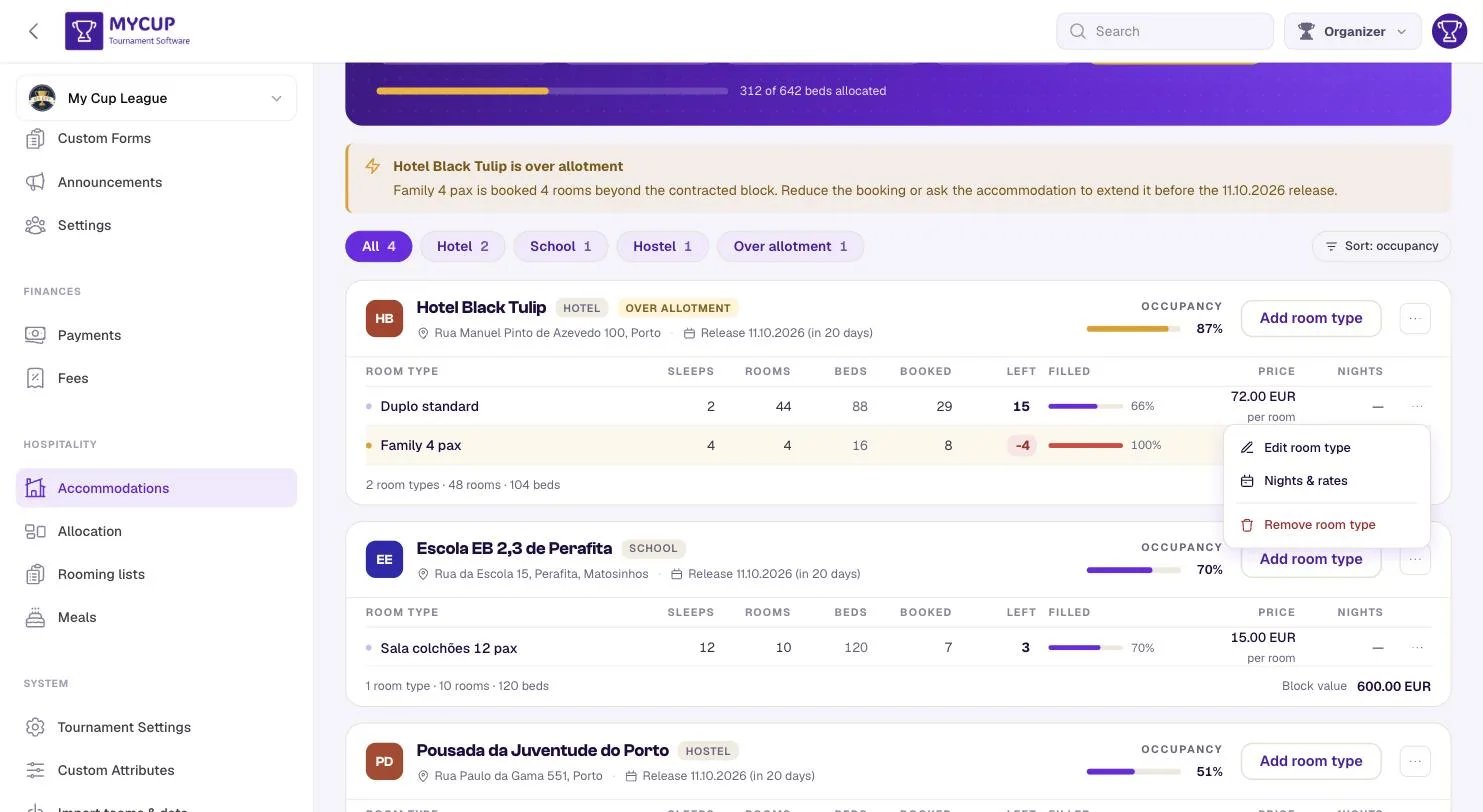
The ⋯ on a room type opens Edit room type, Rooms per night, and Remove room type. The one on the card header opens Edit accommodation, Add room type, Rooms per night and Remove accommodation.
A room type that groups are booked into cannot be removed: MyCup says how many groups use it, and you move or cancel those bookings first. Otherwise their rooms would be counted against nothing.
When availability changes night by night#
Most contracts are flat: 20 twins, every night. Some are not. A real one: the hotel holds 17 twins for the whole week, and another 17 from Wednesday to Saturday.
That is one room type — Twin Room, Rooms held 17 — with four exception nights at 34. Open Rooms per night under the room types (it opens by itself on a property that is over allotment):
- Every night of the stay window is a column. The number is rooms held that night; the line under it is what is still free (15 left, full, 2 over).
- Plain cells are the default (the room type's Rooms held). Tinted cells are exceptions set for that night.
- Click a night and type a number (on a phone or tablet, tap it and use − and +). Typing the default back turns the exception off.
- Reset on an exception returns it to the default. Reset all to default clears every exception at that property.
- Set a range… is the quick way to say more rooms from Wednesday: pick the room type, the first and last night, and the number — Sets 4 nights · 24, 25, 26 and 27 Mar to 34 rooms.
If a booking runs past the property's dates, its extra nights appear as outside columns, so an overbooking can never hide beyond the last column.
Changing the dates#
Edit the accommodation and change its check-in or check-out. Widening is saved straight away. Narrowing asks first, and lists exactly what falls outside — Twin Room — 1 exception night (27 Mar) falls outside, Thunderstorm FC — 4 booked nights fall outside — before anything changes. Nothing is deleted: nights outside the window simply hold 0 rooms, and come back if you widen it again.
Getting it back out#
Allotment sheet in the header downloads the whole thing as a spreadsheet — rooms held, booked and left per room type, plus a second tab of who is staying where. It is the file this page replaced, handed back, for when you need to argue with a property about a deadline or keep a copy after the tournament.
Accommodations without room types#
A school or a pavilion often has no room types at all — everyone is in one hall. Leave the room types empty and set Beds, if sold by the bed on the accommodation (120). Its card then reads 120 beds, booked by headcount, and the booking dialog asks for a number of beds instead of rooms, warning — never blocking — when you go past the count. The rooming list gives the group one Dormitory entry that takes as many people as the beds it booked, so it records who is staying without pretending there are rooms.
Price per bed, per night is optional. When it is set, a group's booking form bills beds × nights × that price, at the rate saved with the booking — changing the property's rate later never rewrites a proforma already sent.
Once groups are booked there by headcount, MyCup will not let you add room types or clear the bed count until you move or cancel those bookings, because their beds would stop counting.
Deleting#
Deleting an accommodation removes its room types too, and says so first. Its bookings are deliberately kept, marked against a deleted accommodation, so you can see exactly who needs re-housing rather than having a club silently disappear from your plan.
Next steps#
- Allocation — put groups into the rooms you have just declared