
Groups & Allocation
Open in StudioOn this page
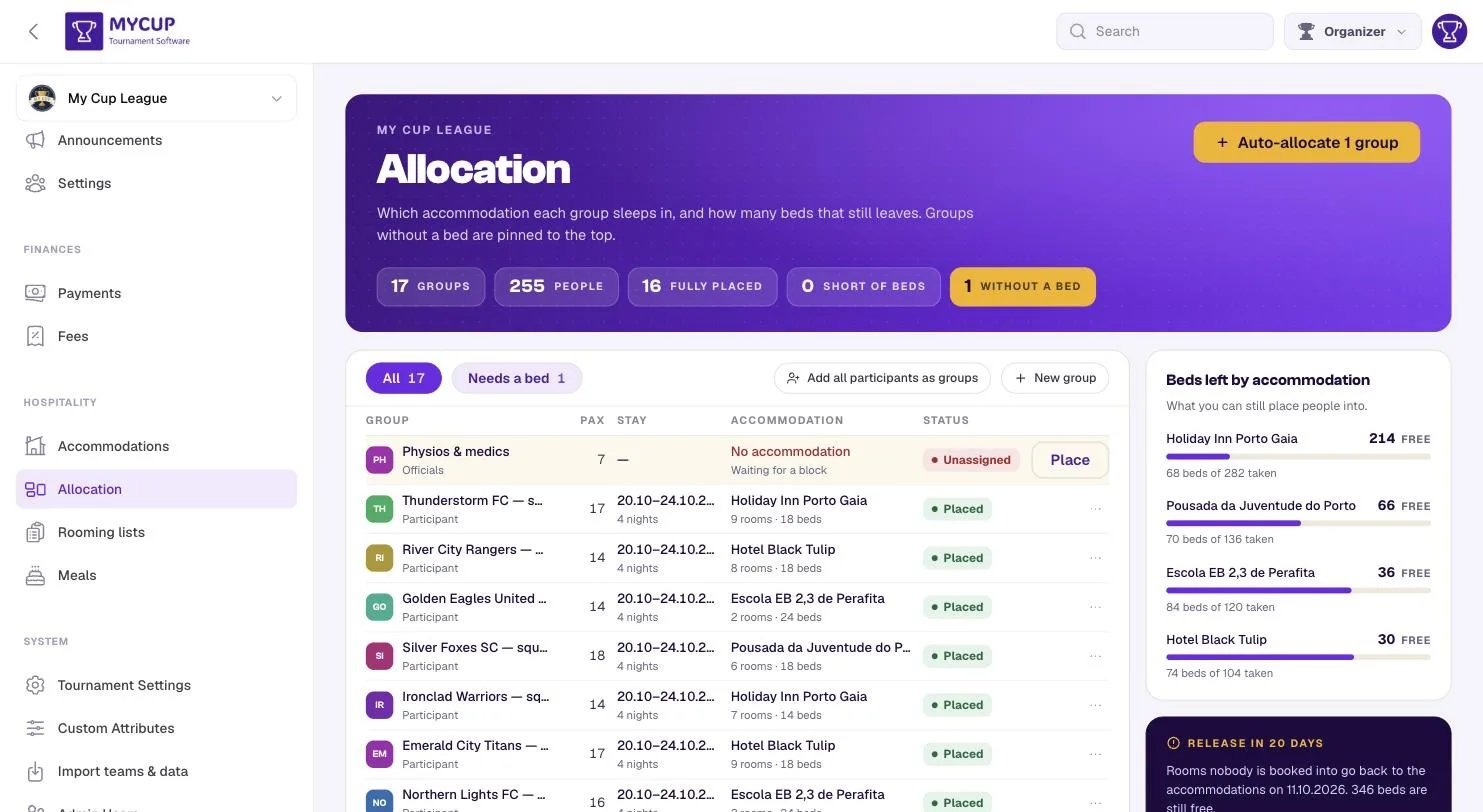
Allocation answers one question: where does each group sleep? One row per group, with the groups that have nowhere to sleep pinned to the top.
The header counts groups, people, fully placed and short of beds, plus — in gold, while there are any — the groups without a bed.
Groups#
A group is whoever travels together and needs beds as a unit. Four kinds:
| Kind | Typical example |
|---|---|
| Participant | A club's squad and its coaches |
| Family & guests | The parents who followed their team |
| Officials | Referees, delegates, medical staff |
| Individual | One person travelling alone |
Press New group and give it a name, a kind, and how many people are in it. Optionally link it to a participant — that is what lets its costs reach that club's balance in Finances. Families and officials usually link to nobody, which is exactly why groups exist separately from teams.
In a hurry? Add all participants as groups creates one group per team, using the team name and its squad size. If your tournament is straightforward, press it once and carry on.
The Pax number is what everything else is measured against.
Reading a row#
Each row carries the group, how many people, the stay, where they are and what that stay took:
- No accommodation in red, with Waiting for a block — nobody has placed this group.
- Unassigned / Short / Placed — the status.
- Under the accommodation,
9 rooms · 18 beds— what was actually taken there. A row that says only "Holiday Inn" is one you would have to open to understand.
Short means the group has a booking but the beds do not cover the people in it — for example 14 people in rooms that sleep 12. The row tells you by how many.
Only the rows that need doing carry a visible button. An unassigned row gets Place (which already knows which group it is about, so you do not pick it again from a list of thirty); everything else keeps a quiet ⋯. If every row shouted equally, none of them would read as the job to do.
Placing a group by hand#
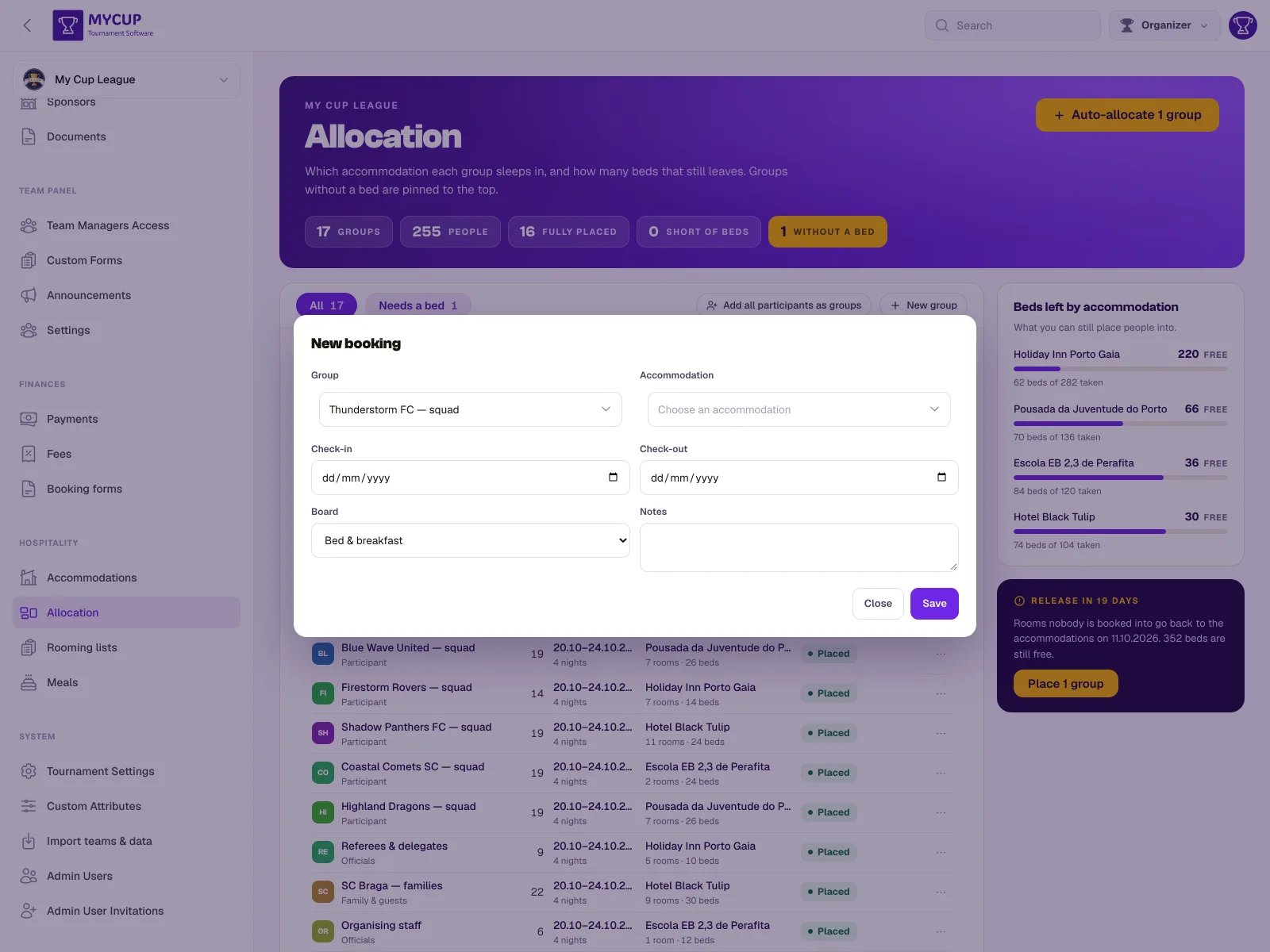
Place, or New booking, opens the booking dialog.
| Field | Notes |
|---|---|
| Group | Who is staying. Start typing to search. |
| Accommodation | Where. The list shows each property's dates, and picking one fills the stay with them. |
| Check-in / Check-out | Check-out is the morning they leave. Four nights means check in Tuesday, check out Saturday. The line under the dates says it back — 24 → 28 Mar 2027 · 4 nights — and moving check-in past check-out moves check-out with it. A stay longer than 31 nights is refused with a reminder to check the year. |
| Board | Room only, bed & breakfast, half board or full board. |
| Rooms | How many of each room type to take, with − and +. Each shows what is left for exactly these dates — the tightest night of the stay — and which nights are tight when it is not all of them (full on 26 Mar · 2 free on the other nights). |
| Notes | Anything the property or your team should know — two families need adjoining rooms. |
Room types with nothing left for those nights are tucked away under Show full room types (N), so the list starts with what you can actually book. Open it to book over the block on purpose; a type the booking already uses always stays visible.
Underneath, the dialog adds it up while you press: 6 rooms · 13 beds, 1 bed short of 14 pax, and the estimated cost for the stay. Taking more than is left adds a line saying by how many and on which nights — Twin Room: 2 over on 22, 23 and 28 Mar — and Save stays available.
A stay past the property's dates is allowed too. The dialog names the nights that fall outside, shows 0 left for them, and offers Extend the hotel's window when you have agreed the extra nights with the property.
Editing a booking counts its own rooms as free (your 5 rooms included), so changing the dates never competes with itself. Delete booking is in the dialog's footer.
Moving a booking to another accommodation gives back everything it held at the old one. Rooming rooms that already have people in them are kept until you re-seat those people at the new property — see Rooming lists.
A school or pavilion sold by the bed asks for a number of beds instead of rooms, and shows how many of its beds are free for those dates.
Both pickers are searchable: type any part of a name, accents and capitals do not matter, and words can come in any order.
You can book past the allotment. MyCup saves it and tells you what you exceeded — see Accommodations.
Placing everybody at once#
When groups have no bed, the header button becomes Auto-allocate N groups, and the same action sits in the release panel as Place N groups.
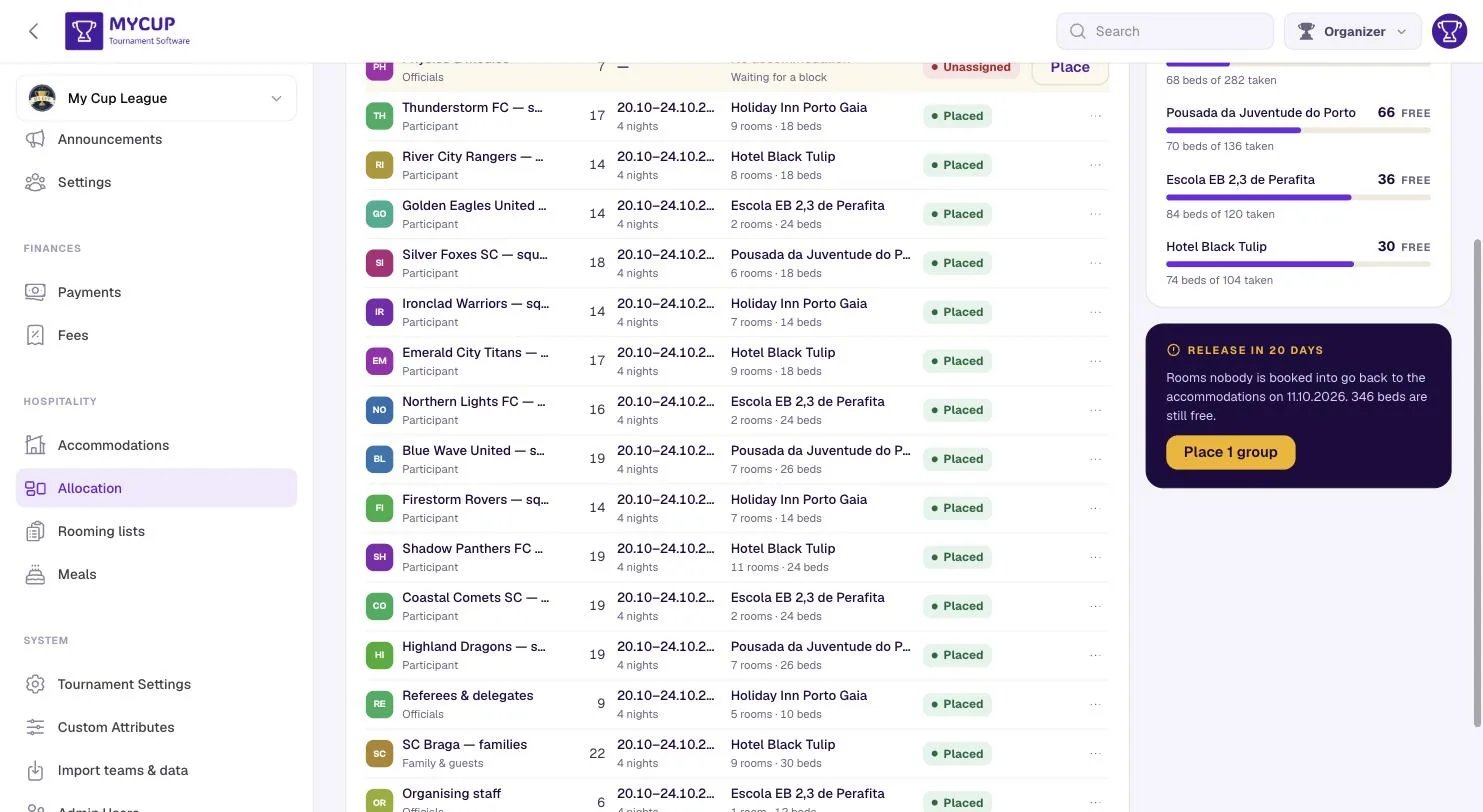
It places every group that has nowhere to sleep, and it is deliberately conservative:
- It never overbooks. You may oversell on purpose, because you know you are going to ring the hotel. If software did it you would not find out until the property refused the rooming list — so it only uses genuinely free capacity, and it names every group it could not place rather than inventing a number.
- It never moves a group that already has a stay. That was somebody's decision.
- It always re-places a cancelled one. That is the list of who needs re-housing, which is exactly the morning you want this button.
- It uses each property's own dates. On a new event, before anything is booked, groups are placed over the accommodations' check-in and check-out.
- Schools and pavilions sold by the bed count too. A group goes there only if the whole group fits on the tightest night.
- It places the biggest group first. Filling a 24-bed block with four small groups leaves a 20-person squad nowhere to go, even when a different order fits everybody.
- It uses the biggest rooms available. A 20-person squad out of twins is ten lines on the property's sheet when two 8-bed dorms and a twin would do.
- It never splits a group across two properties. A club that arrives to find half its squad elsewhere treats that as a mistake — and choosing to split is a judgement call, so it stays with you.
Afterwards you are told how many groups were placed, and anything it skipped and why.
What is still free#
The right-hand panel shows beds left per accommodation, largest first, so you can see where a group will fit without opening the dialog to find out. When a hotel holds a different number of rooms on some nights, the figure is a range, for example 0–30 free, and the line under it says which nights have the most beds free. Nights where more rooms are booked than the hotel holds are named in red. The booking dialog gives the exact figure for the dates you pick.
Under it, the release countdown — the date unfilled rooms go back, how many beds are still free, and a way to place the stragglers before that date decides for you.
Filters#
All, Needs a bed, and Short of beds. A filter with nothing behind it is not offered, so "Needs a bed 0" never appears. The filter lives in the page address and can be shared.
Cancelling, and removing#
Three different acts sit in the ⋯ menu, and the difference matters:
| Action | Use it when | What happens |
|---|---|---|
| Cancel booking | The stay was real and is not happening | Rooms go back to the allotment immediately. The booking stays on the list marked cancelled, so you can see who still needs re-housing — and auto-allocation will re-place them. |
| Delete booking | It should never have existed — a test, or the wrong hotel picked twice | The booking and its rooming list go. The beds return to the allotment. |
| Remove group | The group itself is a mistake, or a duplicate import | The group goes, and so does every stay, room and meal cover booked for it. The confirmation counts them for you first. |
Cancel when a club pulls out: the trail is the point. Delete when you are cleaning up after trying something, so you are not left living with a permanent column of cancelled rows.
A group with no accommodation yet has the same ⋯ menu on its row, so an import you ran twice can be undone without placing anyone first.
Next steps#
- Rooming lists — name who sleeps in each room
- Booking forms — bill a club for its accommodation and meals